FREE HIFI. FOR THE MUSIC YOU OWN.

MyMojo.

Beyond
bit-perfect.For Chord Mojo & Hugo.

The free HiFi player for your music.

Built around Chord Mojo 2 & Hugo 2.
Optimized for iPhone and Samsung Galaxy.

Starting with Chord.
Expanding to more DACs and phones.

Free core playback. No mandatory subscription. Beautiful included designs. Optional skins, one-time purchases.

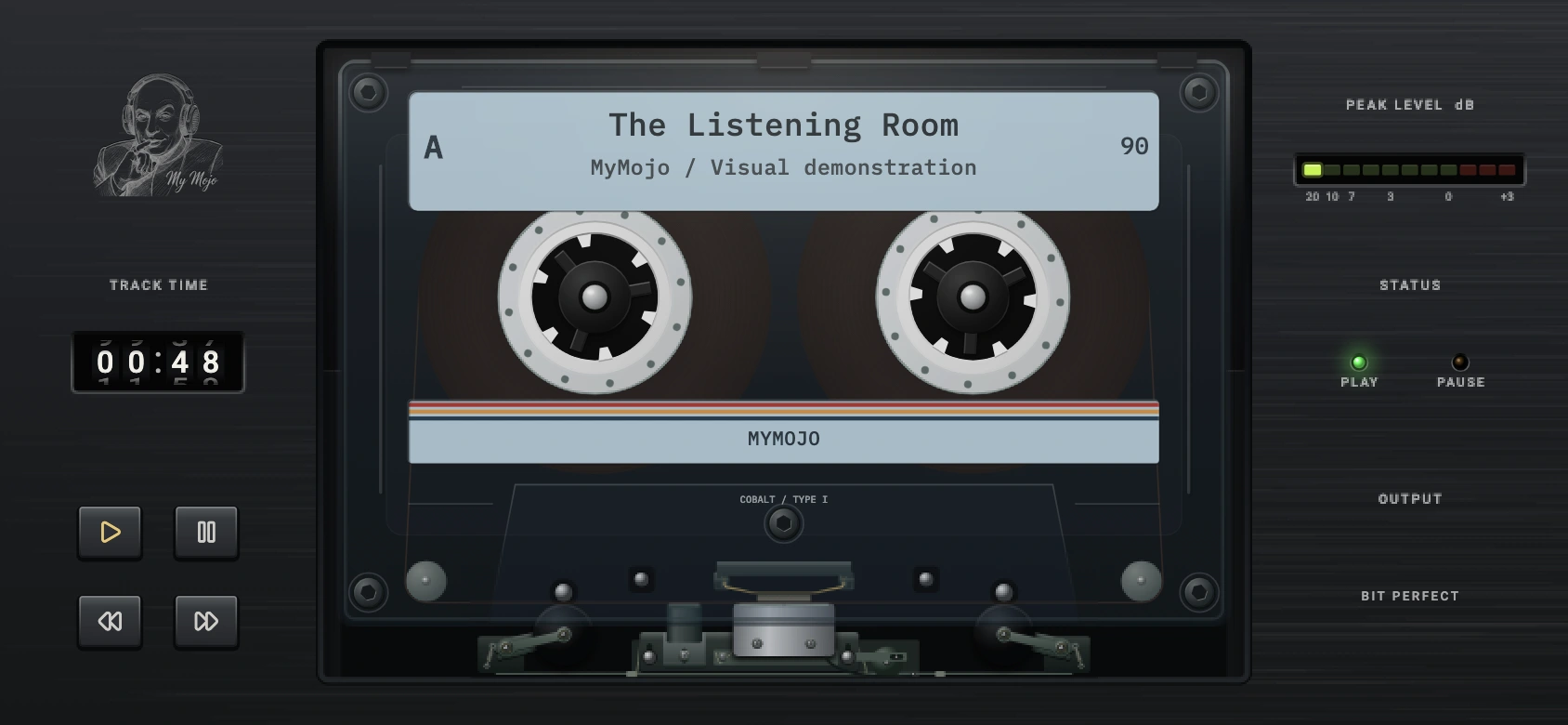
MyMojo's current landscape cassette player
Cobalt Archive01 / 08

iOS & Android / Expanded release in preparation

Actual app renderer. Silent visual demo.

YOUR MUSIC. YOUR DAC.FREE CORE PLAYBACKBEAUTIFULLY IN YOUR CONTROLGO FURTHER WITH STATION

CHORD FIRST / MORE TO COME

Your Chord.
Our starting point.

Designed around the listening systems we know and love. Expanding carefully, one setup at a time.

DAC focus
Chord Mojo 2 & Hugo 2
Phone focus
iPhone & Samsung Galaxy
Next
More DACs and phones, over time.

DAVE has not yet been tested. Compatibility and bit-perfect output depend on the exact phone, OS, DAC, connection, and format. This focus is not a blanket guarantee for every model.

Made by Chord enthusiasts. Independently developed, not affiliated with or endorsed by Chord Electronics.

01 / THE HIFI MUSIC PLAYER

Made for listeners who know the difference.

You chose the music.
You chose the DAC.
Now enjoy the whole experience.

A carefully built library deserves more than a way to press play.

MyMojo brings your own files, supported DAC output, and a deeply personal interface together. Less friction between the album you want and the listening session you came for.

Formats, rates & bit-perfect

MYMOJO AUDIO CORE / RUST-POWERED

Sound comes first.
Built into our core.

At the heart of MyMojo is our own Rust-powered audio core, designed for faithful playback and bit-perfect output on compatible setups.

About bit-perfect playback
Original samples, respected.
Sample integrity is the goal. Not unnecessary processing or a promise to improve the recording.
Purpose-built playback technology.
Our custom audio core works with platform-native output integration. Support depends on the actual device and connection.
Your look. The same audio engine.
Skins personalize the interface. They do not control the audio processing or unlock a higher sound-quality tier.

THE SIGNAL / NOT JUST THE SKIN

Know what you're playing.

Resolution. Format. Output path.
The details belong in the experience.

PCM BIT DEPTH
16 / 24bit
Current release qualification scope
PCM SAMPLE RATE
44.1–768kHz
Ten standard rates. Route-dependent.
CORE LOSSLESS FORMATS
WAV / FLAC
PCM files and lossless decoding
DSD SOURCES
DSD64 / 128
2.8224 / 5.6448 MHz
DSF / DoP on compatible routes

PCM scope for the expanded release, not a guarantee for every device or file. Device qualification is still in progress. Your phone, OS, decoder, DAC and connection determine the available output path.

Formats & output conditions
PCM resolution
16- and 24-bit PCM at 44.1, 48, 88.2, 96, 176.4, 192, 352.8, 384, 705.6 and 768 kHz form the current release qualification matrix. This is not a statement that every device/rate combination has passed.
WAV & FLAC
The Android direct-USB path accepts WAV and decoded FLAC. Its integer WAV parser also accepts 32-bit source files; that is separate from the 16/24-bit release matrix and is not a universal 32-bit bit-perfect claim.
M4A, ALAC & AIFF
Container and codec are different. M4A decoding depends on the codec and platform. ALAC and AIFF playback depends on the platform decoder and route; recognizing a file in the library does not qualify its USB output. The Android direct-USB extension list does not include standalone .alac or .aiff files.
MP3 & AAC
Decoded playback on compatible paths. These are lossy formats: playback cannot restore audio information discarded during encoding.
DSD64 & DSD128
DSF-to-DoP preparation preserves DSD data for compatible output routes, with route and safety checks. DFF handling depends on the platform decoder and route. Native USB DSD is not enabled in the current Android engine; DoP and native DSD are distinct. No blanket DSD256 or every-device DSD support is claimed here.
Remote & MPD
MyMojo Remote controls the source phone's playback. MPD Remote controls an external MPD system. Their format displays do not independently certify audio leaving the controller phone.

A FAMILIAR LANGUAGE / FOR CHORD FANS

Rate in color.
Bit-perfect in status.

The play button and progress bar follow Chord's familiar sample-rate palette. DSD sources use white. These colors identify the source format, independently of bit-perfect status.

Two signals. One bit-perfect verdict.

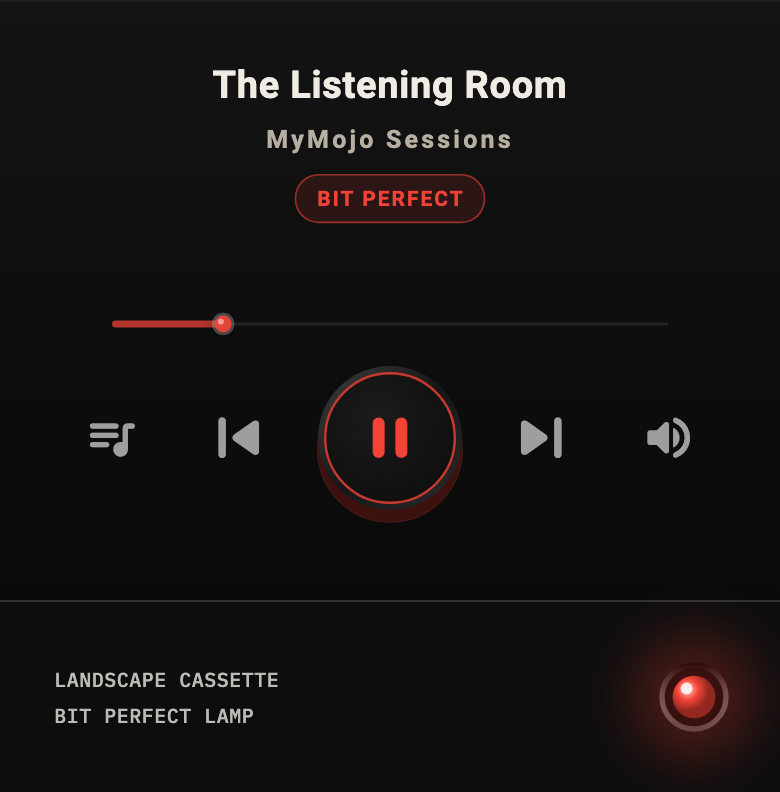
When MyMojo's playback checks confirm the active bit-perfect DAC path, BIT PERFECT appears in the player and the landscape cassette lamp lights up. Both reflect the bit-perfect verdict, not merely a matching sample rate.

Their active color follows the source palette, but their on/off state follows the verification result. Verification uses the current platform and route evidence available to MyMojo. The website guide illustrates these states; it is not a live DAC measurement.

Mojo 2 color reference
44.1 kHz / RedRATE & STATUS GUIDE
PCM SAMPLE RATE / kHz · DSD SOURCE
Actual MyMojo playback controls in red for 44.1 kHz, with BIT PERFECT text and cassette lamp active in this silent status guide
Actual app widgets. The status switch controls both BIT PERFECT text and lamp; rate colors remain independent. Silent demo, not an audio-output test.
Your libraryLocal files · NAS · Station
YOUR FILES
MyMojoHiFi Music Player
USB AUDIO
Your DACA supported output path

Keep your collection. Choose your hardware. No mandatory monthly fee to play your own music.

Bit-perfect playback depends on your device, DAC, format, and output settings. A file's sample rate is not proof of the output signal.

Classic Warm01 / 05

Actual app widgets · Silent visual demo

STANDALONE BY DESIGN

Your phone.
Your earphones.
Your music.

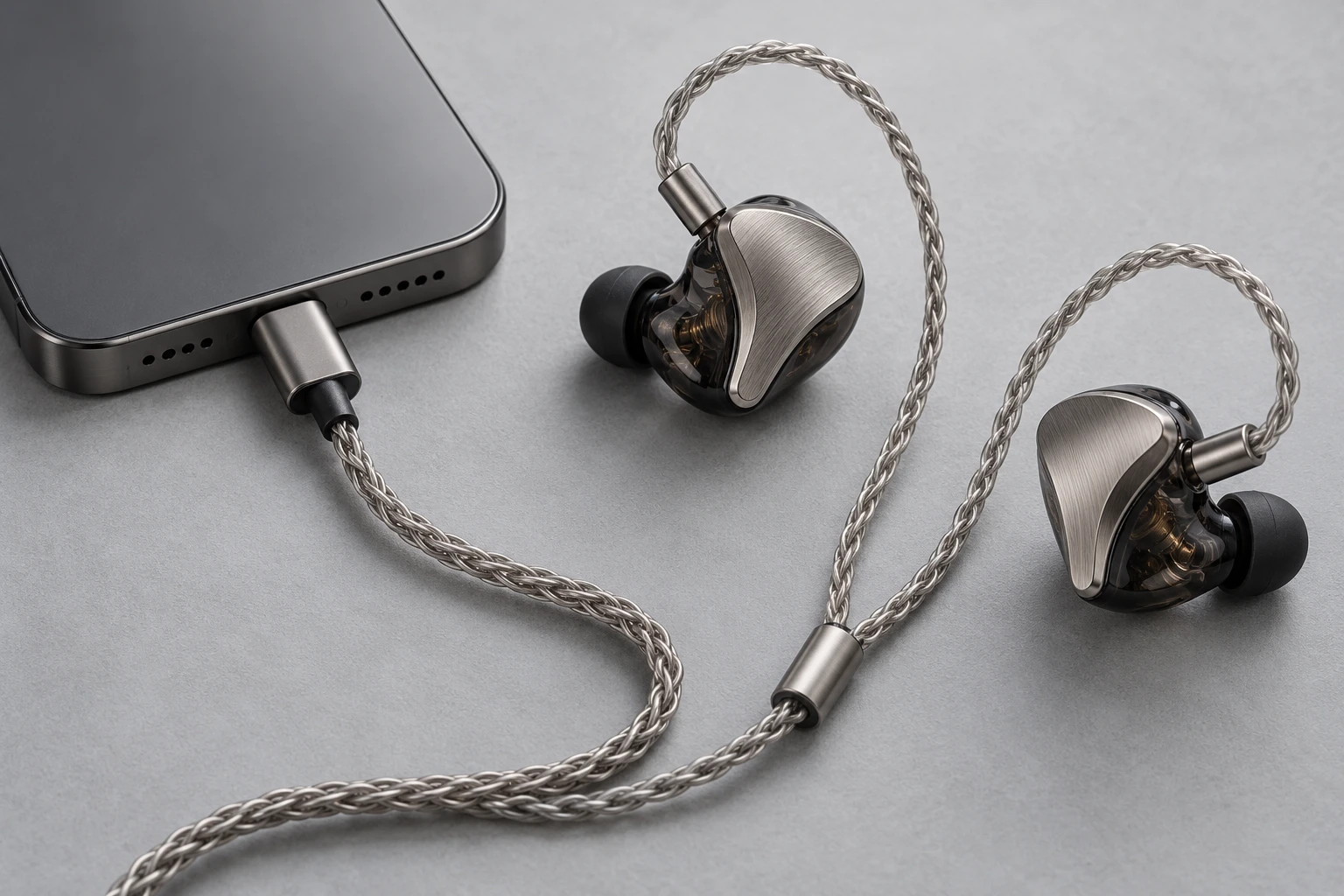
MyMojo is a standalone music player. Connect compatible USB-C earphones directly to your phone and enjoy the music you own. No separate DAC required.

Premium wired USB-C in-ear monitors plugged directly into a smartphone, with no separate DAC or amplifier
USB-C listening. No extra box.AI-staged setup
Find your look

ONE APP / THREE ROLES

Start with the system you already have.

Your system.
Your way.

At your desk. Beside your HiFi.
Or comfortably out of arm's reach.

THE SOURCE, IN YOUR HAND

A proper home
for your own music.

Connect a supported DAC. Open your local or network library. Let the music take over, with an interface that feels like part of your HiFi, not another utility.

  • Local and NAS music in one listening setup
  • Supported USB DAC playback
  • Free core playback, without a compulsory subscription
For iOS & Android

02 / BEYOND BIT-PERFECT

Faithful sound. A richer way to listen.

More ways to
feel the music.

Beautiful, playful tools to enjoy more of the music you love. Moving needles. Turning reels. A little band following the song. Make every listening session an experience of its own.

CASSETTE/Crystal Clear
SILENT DEMO

Actual app renderer, with authored demonstration input.

9 families / 30 skin designs

There's more than one way to make it yours.

Included designs & optional skin purchases

BEAUTIFUL BY DEFAULT

Free to listen.
Yours to personalize.
No subscription.

A complete player with a curated collection included. Choose additional designs only when you love them. No automatic charges.

Find your app
  1. 01

    Start with the included collection.

    Sixteen selected designs, the basic TV standby screen, and Phosphor Scope are included without a time limit. Core playback stays free.

  2. 02

    Choose something personal.

    Additional launch designs are planned at a US base price of $0.29 each. A one-time purchase, not a higher sound-quality tier.

  3. 03

    Keep what is yours.

    Restore eligible purchases with the purchasing store account and your MyMojo account. Previously granted free access is preserved; a refund may revoke only the associated paid entitlement.

Purchases are being prepared for the expanded release and are not yet available. Availability is subject to store approval. Local prices and applicable taxes are shown by the store before confirmation. No introductory seven-day trial is offered. Bands and Music Video retain their Station, analysis, and linked-video requirements.

03 / MYMOJO STATION

The desktop companion. Not a prerequisite.

A bigger stage
for your music.

Your music server. Your discovery hub.
More possibilities for the music you own.

MAC & WINDOWS

01 / YOUR OWN MUSIC SERVER

A music server.
Without a new box.

Add music folders from your Mac or PC, an external drive, or a NAS already mounted on your computer. Station makes that collection available to mobile MyMojo on your local network.

No dedicated NAS required. Your original music files stay where they are, unchanged.

Same MyMojo account · Reachable local network · Station running

02 / AI-ASSISTED DISCOVERY

Your collection,
rediscovered.

Explore by genre, mood, instrumentation, and energy, not just artist or album. Optional, metadata-based AI suggestions add more context to the music you already own.

Separate audio analysis prepares supported musical-part activity for Bands. A richer listening experience, with your original playback path preserved.

About the analysis

03 / BRING YOUR MUSIC VIDEOS

Your tracks.
Another dimension.

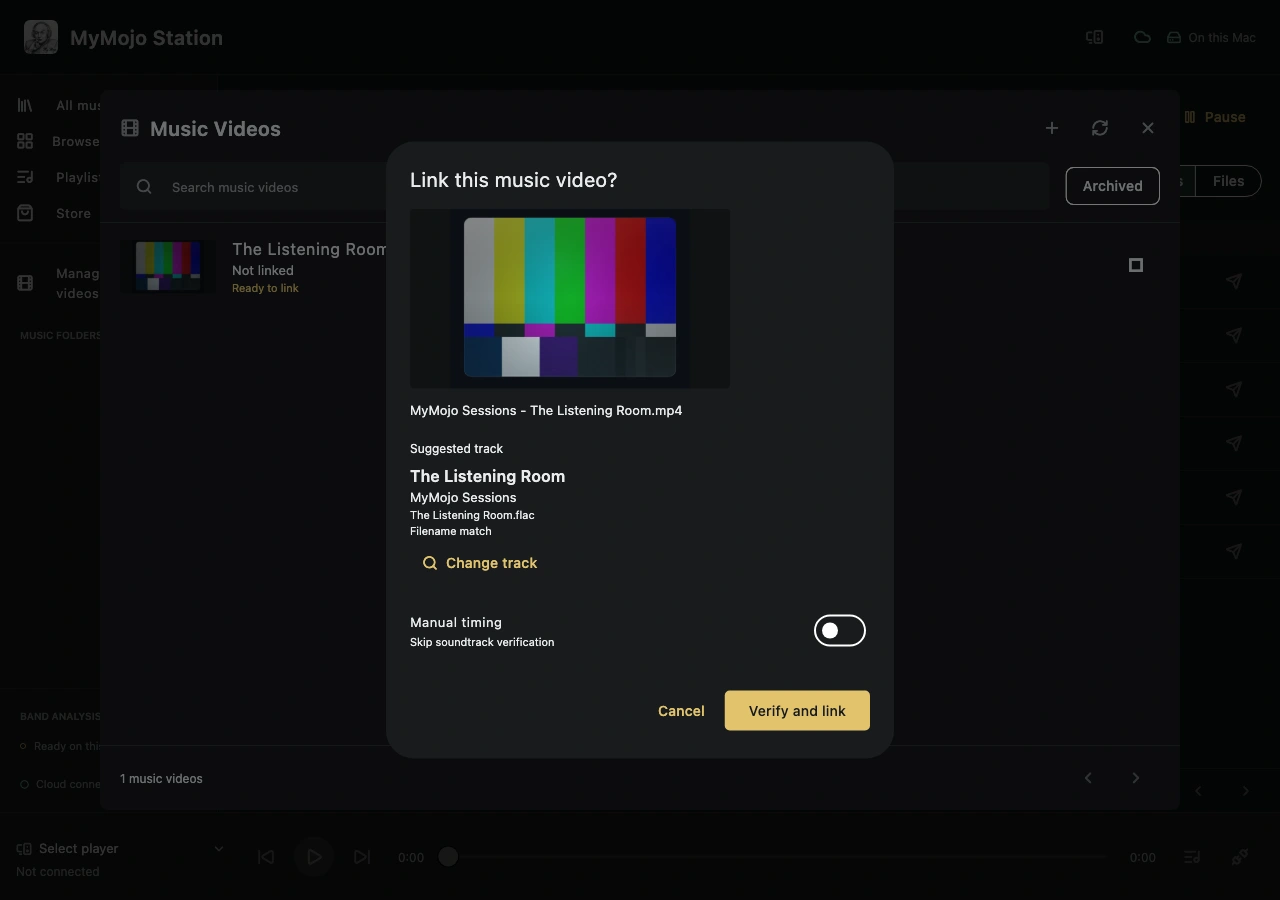
Already have a video for a favorite track? Drag & drop a permitted video file into Station, review the suggested song, and confirm the connection.

Once prepared, the linked video can follow the music on a supported mobile setup. Your video files stay in Station's private managed storage.

See how video linking works
AI discovery, instrument coverage & privacy

Discovery tags are estimates based on recording metadata. Optional cloud AI classification requires consent; it is not direct analysis of the audio. Mood is subjective, and instrumentation suggestions are not a verified score or a complete instrument list.

Bands uses separate audio analysis for supported parts and source-time activity. Instrument coverage varies by analysis profile. These features enrich discovery and visual experiences; they do not improve the samples in your original recording or certify bit-perfect output.

YOUR DESK / YOUR LISTENING ROOM

Stay in your flow.
Keep the music close.

Work on your MacBook. Choose the next album from Station. Your MyMojo source phone stays with the DAC and speakers, a few steps away.

STATION-LINKED / ENJOYED ON MOBILE

Prepared on Station.
Brought to life on your phone.

Station does the preparation. MyMojo on your phone is where these visual experiences play, alongside your music.

Bands

A little stage for the music you love. Station prepares the analysis; your phone brings the band to life.

Actual app widgets. Authored timeline demo, not newly analyzed music.

Music Video

Bring another dimension to a favorite track. Link your own permitted video in Station and enjoy it on your phone.

Original TV standby asset shown. Playback requires a prepared linked video and reachable Station.

YOUR VIDEO FILES / CONNECTED TO YOUR MUSIC

Drop a video.
Keep it with the music.

Bring the video files you already have into the same listening experience.

  1. 01

    Drop your video.

    Drag a permitted local video into Station's Music Videos window, or choose Import.

  2. 02

    Confirm the song.

    Review the suggested track or choose another. Choose Verify and link, then let Station prepare the video and check timing where supported.

  3. 03

    Listen. And watch.

    Return to the linked track in mobile MyMojo. Keep Station running and reachable for video delivery; the music keeps its existing audio path.

Use video files you have permission to use. This flow does not download videos, upload your video files to the cloud, or create a music video for every song. Playback depends on preparation and a supported app/device.

Install. Run. Connect.

Same MyMojo account. Reachable local network. Keep Station running for new analysis and video delivery. Previously prepared analysis may be cached.

Explore Station releases
And Music Video?

Drag & drop a video you have permission to use into Station's Music Videos window, confirm the matching track, and prepare it for your device. MyMojo plays the music through its existing audio path while the linked video follows along. Station does not automatically create a music video for every song.

The CRT TV designs in the collection are display skins, not a substitute for a prepared linked video.

FREE TO LISTEN / YOUR CHOICE TO PERSONALIZE

Great sound stays free.
Your look is up to you.

$0

Core HiFi playback & included skins.
No mandatory subscription.

$0.29USD / skin

Optional additional launch designs.
One-time purchases, after store approval.

Free core playback and included designs do not expire. Optional purchases do not auto-renew. Purchases are not yet available; the store displays the final local price and applicable taxes before you confirm.

Included designs & purchase details

YOUR NEXT LISTEN

Four platforms. One listening life.

Find your
MyMojo.

The expanded family is coming together.
Choose the app for your setup.

THE APP / IOS & ANDROID

MyMojo.

HiFi Music PlayerMyMojo RemoteMPD Remote

iPhone & iPad

Expanded release in preparation

Android

Release in preparation

MYMOJO STATION

Optional desktop companion / Library / Analysis / Visuals

Station for Mac

Version 1.0.9 · Apple Silicon · macOS 12.3+

Download Station 1.0.9

Station for Windows

Version 1.0.9 · Windows 10/11 · x64

Download Station 1.0.9

Mac: open the DMG and drag MyMojo Station to Applications. Windows: run the installer; this release is unsigned and Windows may show an Unknown publisher warning. Verify SHA-256 checksums.

Already using Poly? The current MPD remote edition is on the App Store . It does not yet include every expanded feature described here. OS requirements and supported hardware will accompany each release.

THE DETAILS MATTER

Before the
first track.

What does “beyond bit-perfect” mean?

Bit-perfect is about preserving audio samples through a supported output path. “Beyond” is about the rest of listening: finding your music, controlling your system, and making the interface your own. It is not a claim that MyMojo can improve the information in a recording or sounds better than every other player.

Is bit-perfect available with every phone and DAC?

No. Support depends on the OS, device, DAC, format, and playback settings. Our current optimization focus is Chord Mojo 2 and Hugo 2 with iPhone and Samsung Galaxy. DAVE has not yet been tested; more DACs and phones will follow over time. Source metadata and an animated meter do not verify the output signal. Use the app's output information and the supported configurations published with your release. Bluetooth is not presented as a bit-perfect USB path.

Do I need Station, a NAS, or a Mojo 2?

No. MyMojo is a standalone music player. Start with your own music and compatible USB-C earphones or another supported playback setup. Station is an optional desktop companion. A NAS is optional. Mojo 2 and Poly are not prerequisites for HiFi Music Player; MPD Remote controls compatible MPD sources.

Can Station replace a NAS for my music?

For serving your music to MyMojo, you do not need a separate NAS. Add local folders or an external drive to Station. If you already have a NAS, add its music folders after mounting them in your computer's operating system. Station is a music-library server, not a general-purpose NAS or a backup service.

Use the same MyMojo account and a reachable trusted local network. Keep the computer awake and Station running while it serves files or linked videos. Station does not configure SMB shares for you, and removing a folder reference does not delete the original music.

What does Station's AI add?

Optional AI discovery tags add estimated genre, mood, instrumentation, energy, and other musical context from recording metadata. Separate audio analysis prepares supported part activity for Bands. These are different processes, not a promise to recognize every instrument or transcribe every note.

AI discovery requires consent and results may be incomplete. You can still browse and play your library without waiting for heavy analysis. Original audio is not replaced by an analyzed or enhanced version.

When do I need Station running?

Station prepares new Bands analysis and linked Music Video assets, and serves its connected library. Keep it running and reachable when those services are needed. Previously prepared analysis can be reused where cached; installing Station alone does not create videos for every song.

What is free?

Core music playback and included skins are free, with no mandatory subscription to listen to your own files. Premium skins are optional purchases, not a higher sound-quality tier. The expanded release includes sixteen selected designs, the basic TV standby screen, and Phosphor Scope without a time limit.

How will optional skin purchases work?

Additional launch designs are planned as one-time purchases with a US base price of $0.29 each. Purchases are being prepared and are not yet available. Store approval, regional availability and local pricing apply. No seven-day premium trial or automatic subscription is offered.

Use Restore purchases with the purchasing store account and the required MyMojo account. Previously granted free access is preserved. Refund requests follow the applicable store process and your statutory rights; a refund may revoke its associated paid entitlement. Station-dependent visualizations keep their normal requirements.

What is the MyMojo Audio Core?

Our custom Rust-powered playback technology includes audio buffering, USB transport, and sample-integrity checks, integrated with the native audio facilities of each platform. It is not a claim that every codec or operating-system driver was written from scratch, or that Rust alone makes audio sound better.

Compatible bit-perfect paths aim to preserve the original samples. They do not improve the information in a recording. Device-specific support and release verification still matter.

Does MyMojo upload all of my music?

Basic local playback does not require uploading your complete collection. Network-library, account, and analysis features have their own connection and consent requirements. Station reads the folders you connect. Permission to access a file is not permission to redistribute it.
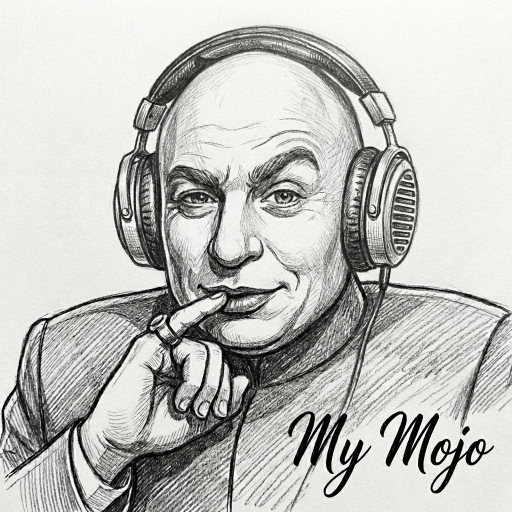
A NOTE FROM ANDREW

“I loved the gear.
I wanted to love
the everyday experience.”

A Mojo 2 and Poly started it. A remote I wanted to use led to a player I wanted to keep using. MyMojo grew from the simple belief that great sound and a great everyday experience should belong together.

Andrew / Founder, MyMojo
MYMOJO / RELEASE INFORMATION

Release in preparation

Questions? Talk to us
THE VISUAL COLLECTION